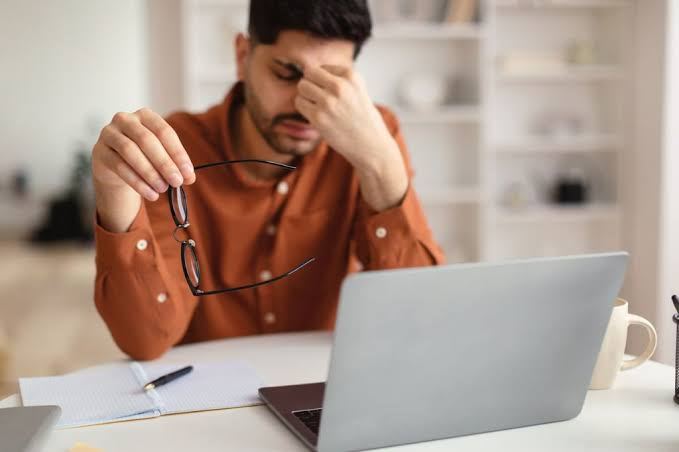
Eye strain has become a common problem in everyday life. Many people spend hours looking at computers, smartphones, tablets, televisions, and other digital screens. After a long day, you may notice tired eyes, blurred vision, headaches, dryness, or difficulty focusing. These symptoms can make work, studying, and even relaxing more difficult.
The good news is that there are several simple habits that can help reduce discomfort and protect your eyes from unnecessary stress. Understanding how to prevent eye strain can help you build healthier screen habits and know when it may be time to speak with an eye-care professional.
What Is Eye Strain?
Eye strain, sometimes called digital eye strain when it is related to screen use, happens when your eyes become tired from prolonged visual activity. Reading for a long time, driving, focusing on small print, or staring at a screen without taking breaks can all contribute to eye fatigue.
Eye strain is usually temporary and does not necessarily mean that your eyes have been permanently damaged. However, frequent or severe symptoms should not simply be ignored, especially if they interfere with daily activities.
Common symptoms include:
- Tired or sore eyes
- Dry or watery eyes
- Blurred or double vision
- Headaches
- Difficulty focusing
- Increased sensitivity to light
- A feeling of heaviness around the eyes
- Neck or shoulder discomfort
Why Do Screens Cause Eye Strain?
Digital screens can make your eyes work harder than usual. When you concentrate on a screen, you may blink less often. Blinking helps spread tears across the surface of the eye, so reduced blinking can contribute to dryness and irritation.
Screen distance and positioning can also matter. Looking at something very close for extended periods requires continuous focusing effort. Glare, poor lighting, small text, and an uncomfortable viewing angle can make the situation worse.
Long periods of uninterrupted screen use are another major factor. Your eyes, just like other parts of your body, benefit from regular breaks.
1. Follow the 20-20-20 Rule
One of the easiest ways to help prevent eye strain is to take regular breaks.
A commonly recommended approach is the 20-20-20 rule:
Every 20 minutes, look at something about 20 feet away for at least 20 seconds.
This gives your eyes a chance to relax from continuous close-up focusing. If you work at a computer all day, consider using a timer or reminder to make these breaks part of your routine.
During the break, look away from your screen rather than simply switching from your computer to your phone.
2. Blink More Often
Blinking may seem automatic, but people often blink less while concentrating on digital screens. Fewer blinks can allow the eyes to become dry and uncomfortable.
Make a conscious effort to blink fully and regularly when working on a computer or using a phone. If your eyes frequently feel dry, an eye-care professional can help determine whether you need additional treatment or lubricating eye drops.
Avoid using eye drops unnecessarily without understanding the reason for your symptoms, particularly if the problem happens frequently.
3. Adjust Your Screen Position
Your screen should be positioned comfortably rather than forcing you to look sharply upward or downward.
For many computer users, placing the monitor approximately an arm’s length away and slightly below eye level can provide a comfortable viewing position. The exact distance depends on your screen size, vision, and personal comfort.
If you regularly lean forward to read your screen, consider increasing the text size instead of moving your face closer.
4. Improve Your Lighting
Poor lighting can contribute to eye discomfort. Working in a dark room while staring at a bright screen may feel particularly uncomfortable.
Try to keep the lighting in your room reasonably balanced with your screen brightness. Avoid placing your monitor directly in front of a bright window if it creates reflections or glare.
You can also adjust the screen brightness so that it feels comfortable in your environment. There is no single brightness setting that works for everyone.
5. Reduce Screen Glare
Glare from windows, lamps, and overhead lights can make it harder to see your screen clearly. Your eyes may compensate by working harder to maintain focus.
Position your computer so that strong light sources are not directly reflected on the screen. An anti-glare screen filter may also help some people.
Keep your monitor clean as well. Dust and fingerprints can reduce clarity and increase distracting reflections.
6. Increase Text Size
Small text can encourage you to squint or move closer to the screen. Instead of straining to read tiny letters, increase the font size.
Most computers, smartphones, and tablets allow you to enlarge text and interface elements through accessibility or display settings.
This simple change can make reading more comfortable, particularly during long work or study sessions.
7. Take Longer Breaks During Extended Work
Short breaks are helpful, but you should also step away from your workspace during longer periods of computer use.
Stand up, walk around, stretch, drink some water, or look outside. These breaks can give your eyes a chance to relax while also reducing the physical discomfort that can come from sitting in one position for too long.
If possible, avoid spending your entire break looking at another digital screen.
8. Keep Your Workspace Comfortable
Your eyes and body are connected to your overall working position. A poorly arranged workstation can contribute to headaches, neck pain, shoulder tension, and general discomfort.
Keep your chair at a comfortable height, position your monitor appropriately, and avoid leaning toward the screen.
Your keyboard and mouse should also be positioned so you can use them without unnecessary tension.
A comfortable workspace makes it easier to maintain good habits throughout the day.
9. Get Enough Sleep
Lack of sleep can make your eyes feel tired, dry, or irritated. When you are exhausted, concentrating on screens can become more difficult.
Try to maintain a regular sleep schedule and give yourself enough time to rest each night.
If your eyes feel particularly tired after poor sleep, reducing unnecessary screen time and taking additional breaks may help.
10. Pay Attention to Your Contact Lenses
If you wear contact lenses, improper use can contribute to dryness and irritation. Follow the wearing, cleaning, and replacement instructions provided for your lenses.
Avoid wearing lenses longer than recommended. If your eyes become red, painful, unusually sensitive to light, or your vision changes, remove your lenses and seek professional advice.
People who experience frequent discomfort while wearing contacts may need to discuss alternative options with an eye-care professional.
11. Have Your Vision Checked
Sometimes what feels like eye strain may actually be related to an uncorrected vision problem. Nearsightedness, farsightedness, astigmatism, or difficulty focusing at certain distances can make close work more tiring.
Regular eye examinations can help identify vision changes and determine whether prescription glasses or contact lenses are needed.
If you already wear glasses, make sure your prescription is appropriate for your current vision. Using an outdated prescription can make prolonged reading or screen work uncomfortable.
12. Give Your Eyes a Break From Screens Before Bed
Using screens late at night can make it harder for some people to wind down and maintain a healthy sleep routine. Instead of spending the last part of your evening scrolling on your phone, consider reading a printed book, listening to music, or doing another activity that does not require prolonged screen viewing.
This can reduce your overall daily screen exposure and give your eyes a longer period away from digital displays.
When Should You See an Eye-Care Professional?
Occasional tired eyes after a long day are common. However, persistent or severe symptoms deserve professional attention.
Make an appointment with an eye-care professional if you experience ongoing blurred vision, frequent headaches associated with visual tasks, persistent eye pain, significant dryness, double vision, or symptoms that do not improve with rest and better screen habits.
Seek urgent medical attention for sudden vision loss, severe eye pain, a sudden increase in flashes or floaters, or other sudden and significant changes in vision.
Final Thoughts
Learning how to prevent eye strain does not require complicated changes. Taking regular breaks, blinking frequently, improving lighting, adjusting your screen position, increasing text size, and maintaining a comfortable workspace can make a meaningful difference.
Your eyes do a lot of work every day, especially in a world where screens are part of work, education, communication, and entertainment. Small habits practiced consistently can help make that work more comfortable.
Most importantly, don’t assume that every vision problem is simply eye strain. If symptoms are persistent, worsening, or affecting your everyday life, an eye-care professional can help identify the underlying cause.
Frequently Asked Questions
1. How can I prevent eye strain while using a computer?
Take regular breaks, follow the 20-20-20 rule, blink frequently, keep your screen at a comfortable distance, reduce glare, and adjust the text size and brightness to comfortable levels.
2. Does the 20-20-20 rule really help with eye strain?
The 20-20-20 rule is a practical way to interrupt prolonged near-focus work. Looking into the distance during breaks allows your eyes to relax from continuous close-up focusing.
3. Can eye strain damage my eyes permanently?
Typical digital eye strain is generally associated with temporary discomfort rather than permanent eye damage. However, persistent symptoms should be evaluated because they may have another cause.
4. Why do my eyes become dry when I use screens?
People often blink less frequently while concentrating on digital screens. Reduced blinking can contribute to tear-film disruption and dry, uncomfortable eyes.
5. When should I see an eye doctor for eye strain?
If eye strain is frequent, severe, persistent, or accompanied by significant pain, double vision, persistent blurred vision, or sudden changes in eyesight, arrange an eye examination. Sudden vision loss or severe eye pain requires urgent medical attention.